Create Your Own Talking Stickers! WhatsApp Rolls Out Exciting Android Feature
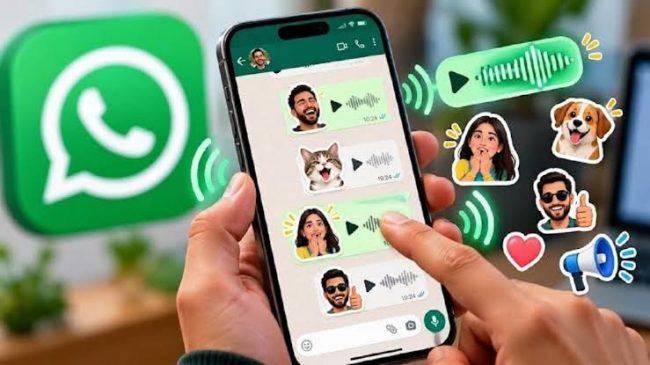
WhatsApp is rolling out a new Sound Stickers feature for Android users, allowing them to turn videos into animated stickers and add their own audio. Users can record voice messages or select existing audio files from their phones to make their stickers more personal and entertaining.
How WhatsApp Sound Stickers Feature Works
The new feature allows users to create animated stickers directly from videos saved in their phone gallery. Users can open any WhatsApp chat, go to the sticker keyboard and select the Create Sticker option.
After choosing a video, WhatsApp automatically converts it into an animated sticker. The sticker editor also includes a new audio button with an Add Sound option. Users can tap it to record their own voice or select an audio file from their phone's file manager.
Users can also choose to keep the original video's audio. This gives them more control over how their animated stickers look and sound before sharing them with friends and family.
Recipients Can Play Audio Manually
Another useful feature is that sound stickers will not play audio automatically. When someone receives a sticker with sound, a small speaker icon appears on it. The recipient must tap the icon to listen to the attached audio.
This helps users avoid unexpected sounds when checking WhatsApp in public places, offices or meetings.
WhatsApp also maintains its end-to-end encryption for these stickers, helping keep shared conversations and content private between users.
WhatsApp Sound Stickers Availability
The Sound Stickers feature is currently rolling out gradually to Android users. It was first spotted in WhatsApp Beta version 2.26.41.3 and is now appearing for more beta users, including those on version 2.26.47.1.
The feature is not yet officially available for iOS users. Android users who cannot see it may need to wait for the wider rollout.
Filed under Technology